

Adding a 3D product configurator to an existing website involves two decisions: where the customer uses it, and what useful record survives when the customer finishes. An embedded experience can fit neatly into a product page while still needing separate work to deliver a saved design, a CRM enquiry or an accepted order.
Configurix describes website configuration for businesses selling products with meaningful choices. Its Irish website provides another entry to that offering. For an Irish seller assessing the software, the purchase specification should describe a complete customer journey and the next operational result, rather than simply request “3D on our website”.
This guide focuses on placement, mobile use, saved-project identity and agreed data delivery. The suggested exercises are illustrative acceptance tests a buyer can request. They are not findings from a deployed Configurix system.
Publisher’s note: The Press’s publisher requested this article and links to Configurix’s websites. It uses public company documentation checked on 2 November 2026. The Press has not carried out hands-on software testing or independently audited customer performance.
Choose a location that suits the buying task
A small number of product choices might fit alongside an existing description. A longer design process might need a dedicated workspace with more room for options, a model and a readable summary. The right choice depends on what the customer needs to accomplish, not on whether an interface can technically fit inside a box.
Configurix’s website-configurator documentation describes existing-site embeds, dedicated branded experiences and saved projects. Those are implementation possibilities to agree with the supplier. They do not establish that a seller’s current theme, hosting arrangement or account setup needs no preparation.
Before a demonstration, sketch the route a visitor will take from the product explanation into configuration and back again. Identify what the existing site continues to own: navigation, explanatory content, contact information or checkout. Identify what the configurator owns within that route.
For a hypothetical door seller, a customer may need to read measurement guidance before starting. The acceptance exercise should show that guidance remains easy to find after opening the configurator. A full-screen design area is useful only if it does not strand the buyer away from the information needed to complete the task.
State exactly what an embed includes
An embed describes how an experience appears within a page. It does not, on its own, prove that customer accounts, the shop’s catalogue, basket records and orders exchange the right information.
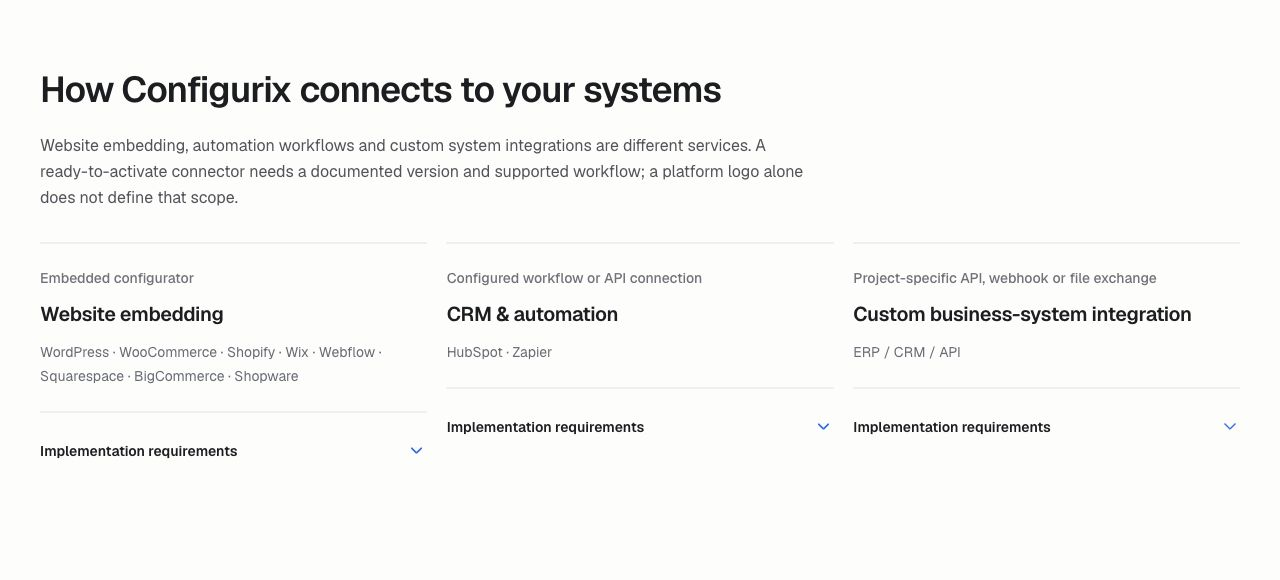
Configurix’s integration directory expressly distinguishes website embedding, CRM workflows and custom business-system integration. It says the website plan, permissions, data and connection responsibilities need confirmation. Buyers should turn that distinction into a written boundary for the first release.
For an illustrative project, the first release might collect a saved configuration and send an enquiry to sales, while checkout remains outside scope. The acceptance record should say that plainly. A different project might require a configured basket line, but then its product reference, quantity and return-to-design behaviour need their own examples.
Ask which team maintains the surrounding page and which maintains the embedded application. If a theme update changes available space or a site security setting affects loading, someone needs responsibility for investigation. Naming both owners at purchase is more useful than discovering the boundary during an outage.
Test the phone journey from start to submission
A desktop preview cannot show whether customers can read option labels, enter measurements or recover from a mistaken tap on their own phones. Agree the representative devices and browsers before accepting the public journey, including the longest or most complex product in the first release.
In a fictional test, a customer opens a configurator from a product page on a narrow screen. Ask them to choose an option, inspect its description, adjust a dimension and find the saved summary. The model should not consume so much space that the next required action becomes hard to locate.
Change orientation and use the on-screen keyboard where measurements are entered. Check whether the field, unit and explanation remain visible together. Close the keyboard, return to the summary and verify that the intended value survived. These are suggested usability checks, not a claim of compatibility with every device.
Also ask for a keyboard-only walkthrough on a desktop. Can the user reach and operate the essential controls, understand validation feedback and leave the model area? A buyer should obtain explicit accessibility acceptance evidence rather than assume that adding a 3D scene establishes or removes accessibility by itself.
Decide what happens before the model finishes loading
The surrounding page should help a visitor understand the product and the next step even while the interactive content is loading. Agree the initial explanation, loading feedback and fallback route with the implementation team.
For a hypothetical customer on a constrained connection, begin loading the product and attempt the intended journey without assuming that every visual asset arrives immediately. If the model cannot become available, can the visitor still reach product guidance or ask sales to continue? Any fallback should describe honestly what it can do.
Set performance expectations using the devices, product complexity and network conditions important to the business. Do not choose a delivery target from a supplier’s fastest demonstration alone. Retain the test conditions so later comparisons have meaning.
Search visibility also needs its own assessment. The product page should explain what is being sold through useful text, headings and ordinary navigation. A configurable visual should complement that explanation. Neither a new embed nor this article establishes a ranking improvement, and no traffic result has been independently measured here.
Give a saved design an identity people can follow
A saved picture helps someone recognise a product. It cannot by itself identify all the choices, their current revision and the project a salesperson should reopen. Decide which identifier follows the design and how the customer retrieves it.
Configurix’s general product-software description presents saved configuration and project data as part of its workflow. The buyer’s demonstration should make that continuity visible: save one example, reopen it and have a colleague continue the same project without rebuilding the selections.
Use a clearly hypothetical pair of designs to expose ambiguity. A customer saves one finish, then creates an alternative with another finish. Does the second action revise the first design or create a separate project? Which link should the customer send to sales? The business needs to choose the intended behaviour and explain it in the journey.
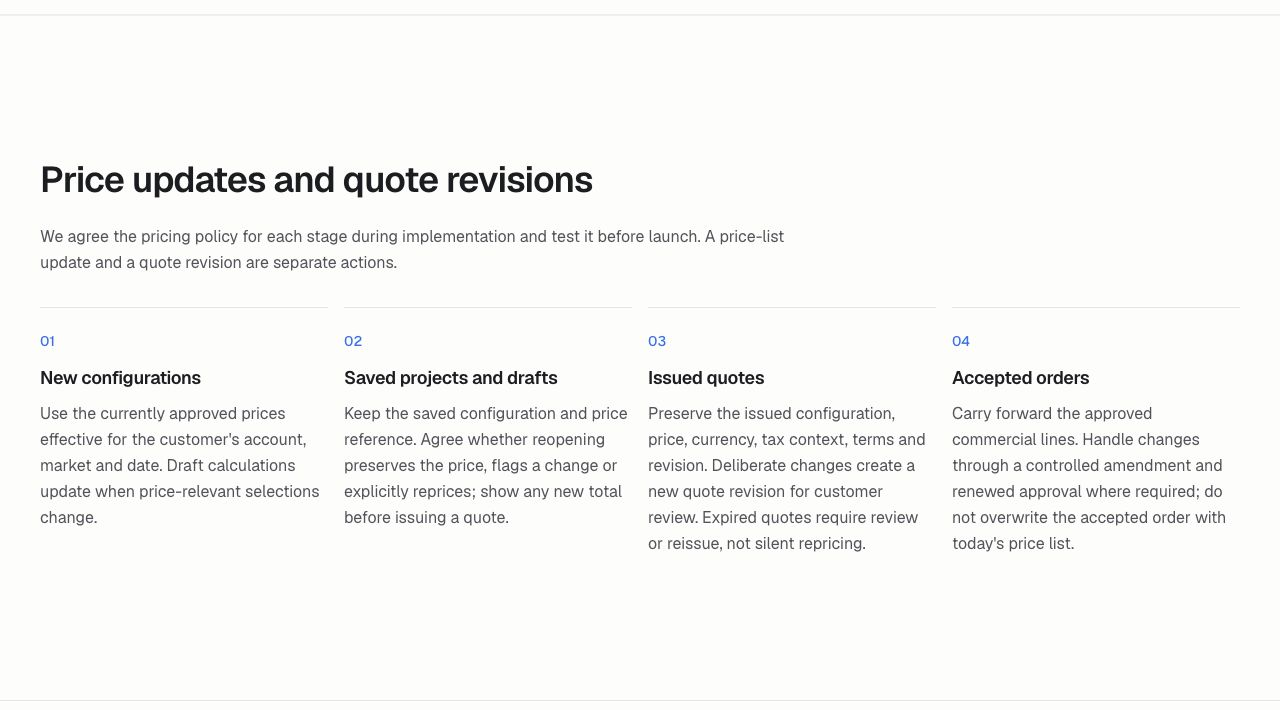
Test refresh, back navigation and a later return as well. Determine which unsaved changes are recoverable and when an explicit save is required. If a catalogue option has changed since the original session, the returning customer needs an understandable status rather than an unexplained replacement.
Define a CRM result that sales can actually use
Start with the action that should create the customer record. A visitor exploring options, saving a design and requesting a consultation may represent different stages. Ask the business to choose the event that should create or update an enquiry, and the person responsible for following it up.
A useful acceptance example describes the destination record, its owner and the configuration reference it contains. It should distinguish the customer’s requested next step from the selected product itself. That lets a salesperson prepare for a consultation rather than ask the buyer to repeat the whole session.
In a fictional test, submit the same intended enquiry twice. The team should demonstrate the agreed duplicate-handling result. Then make the destination reject an input. Does the source project survive, can staff see what failed and is there a defined recovery route? A message on the website should accurately reflect the state of delivery.
Agree the minimum customer and project fields for that purpose. Avoid collecting extra information simply because a field can be added. Specify how account-only or commercially restricted details are kept out of public sharing and inappropriate destinations. These are scope questions for the responsible teams, not a finding that any particular deployment meets a legal standard.
Release order data at an agreed point
An exploratory design and an accepted order are different operational events. The implementation agreement should identify which action authorises an order handoff, what revision is sent and how the receiving system acknowledges it.
For an illustrative exercise, have one saved design proceed to the agreed order stage. Check the receiving reference against the source project. Repeat the request after a simulated lost response and establish how the team confirms the outcome without unintentionally creating a second order.
This article does not prescribe a universal Configurix API or assert that every CRM or order product has a ready-made connector. The required system, edition, fields, direction and failure behaviour must be scoped against the actual destination.
Configurix’s Tenteks Italia project account describes website delivery alongside a multi-product configurator system. It illustrates the scope of work the company reports publicly; it does not independently prove that another website’s order workflow is already implemented or that the project achieved a particular commercial result.
Accept one complete journey and assign its maintenance
For the first release, ask for evidence of one useful route from product page to configured choice, saved project and the agreed next record. Include a phone walkthrough, an interrupted session, a returning customer, a duplicate submission and a destination rejection. Record the expected result and responsible reviewer for each.
Keep those examples after launch. A website redesign, changed catalogue, new destination field or altered authentication arrangement can affect the journey even when the 3D model appears unchanged. Name who updates the specification, who tests the change and who handles failed deliveries.
For an Irish business considering Configurix, bring the existing product-page address, one representative product and a sample of the record sales or operations needs to receive. Ask the supplier to demonstrate that exact path and document the remaining work. The deliverable then becomes a defined customer and data journey, with clear evidence for completion, rather than an attractive embed whose useful output remains uncertain.
Join the conversation
Keep it kind, relevant and constructive. Comments are reviewed before they appear.
Be the first to share a thought.